product
Auto Redact AI
Scan a document, black out the personal data, share the safe version - everything happens on your phone.
You want AI's help with a real document. It is full of your private data.
Every day people paste letters, contracts, payslips and medical forms into ChatGPT, Claude or Gemini to get them explained, translated or checked - and hand over their name, address, bank details and ID numbers in the process. The same happens when you email a scan to a landlord, a lawyer or a support line.
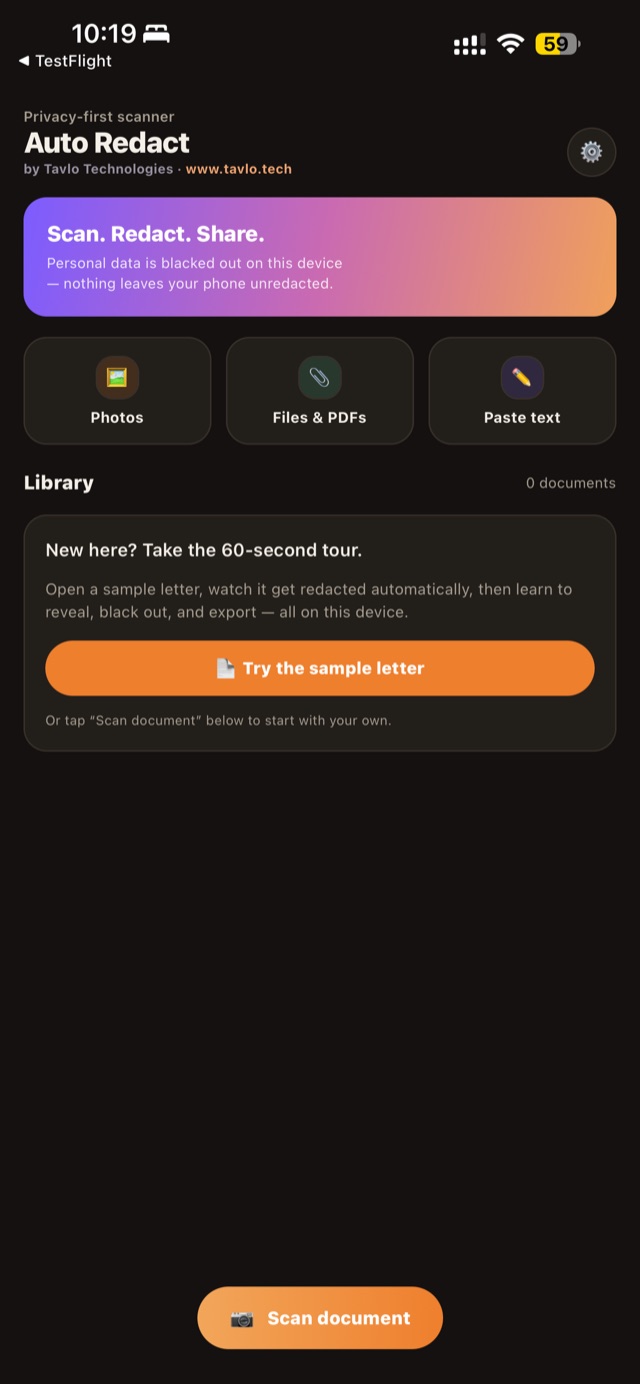
Auto Redact AI closes that gap. Point your camera at a document, or open a PDF, and the app finds the personal data and blacks it out - on your device, before anything is shared. You send only the redacted version. The originals never leave your phone.
Scan. Redact. Share - in seconds.
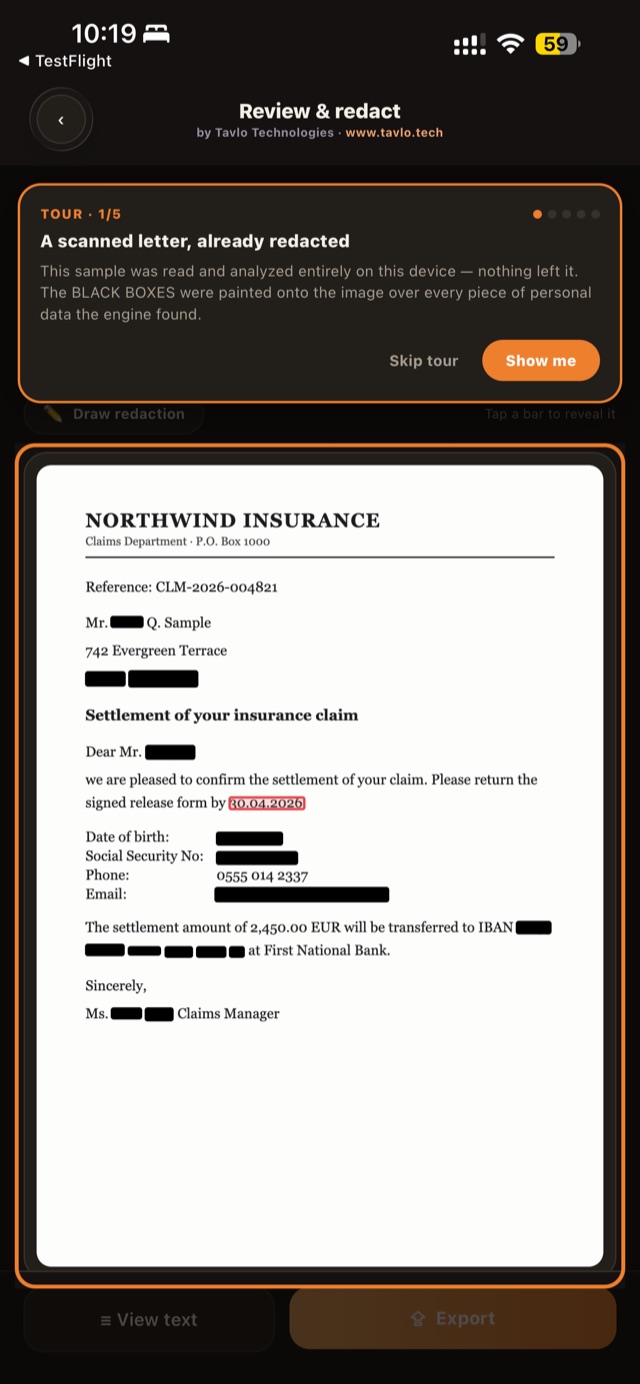
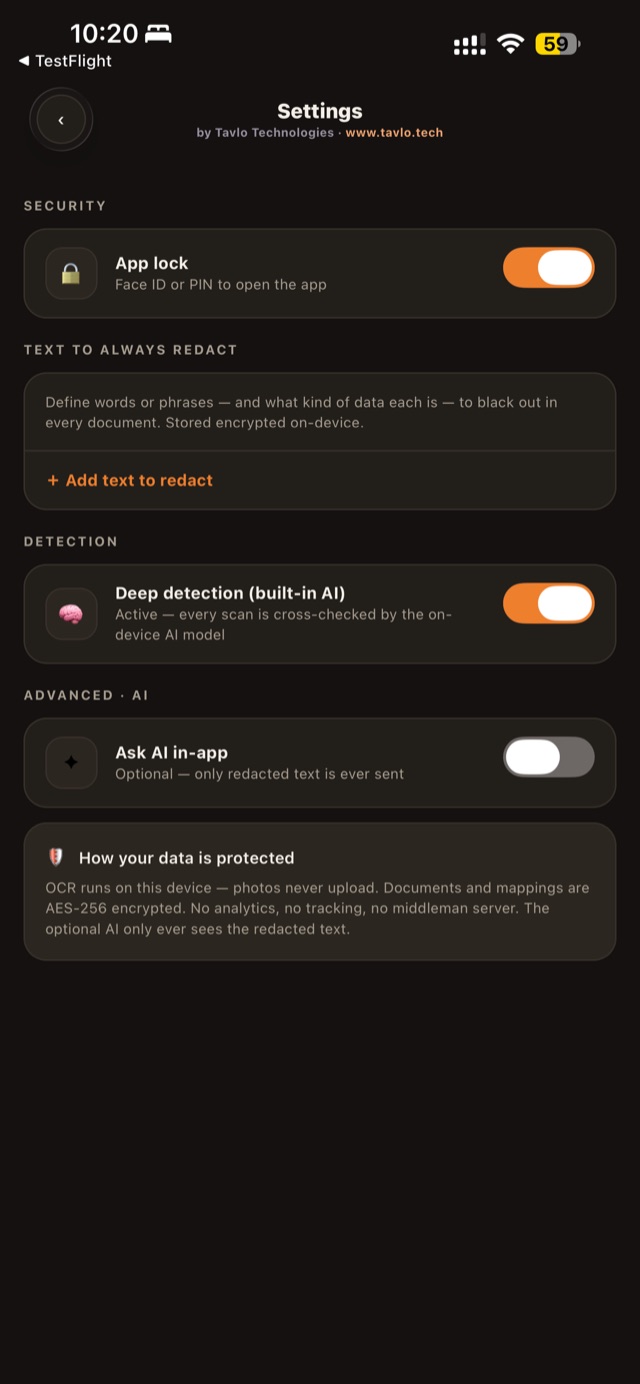
Powerful detection. Total privacy. Your final say.
Everything On-Device
Text recognition and detection run on your phone - Apple's on-device engine, never a server. Your document photos and text are never uploaded to anyone.
Automatic Detection
Names, addresses, IBANs, card and account numbers, phone numbers, emails, dates of birth, tax and social-security IDs - found and blacked out automatically.
Built-In AI
An on-device AI model cross-checks every scan, catching sensitive details that simple pattern rules miss - all without your data leaving the phone.
You Have The Final Say
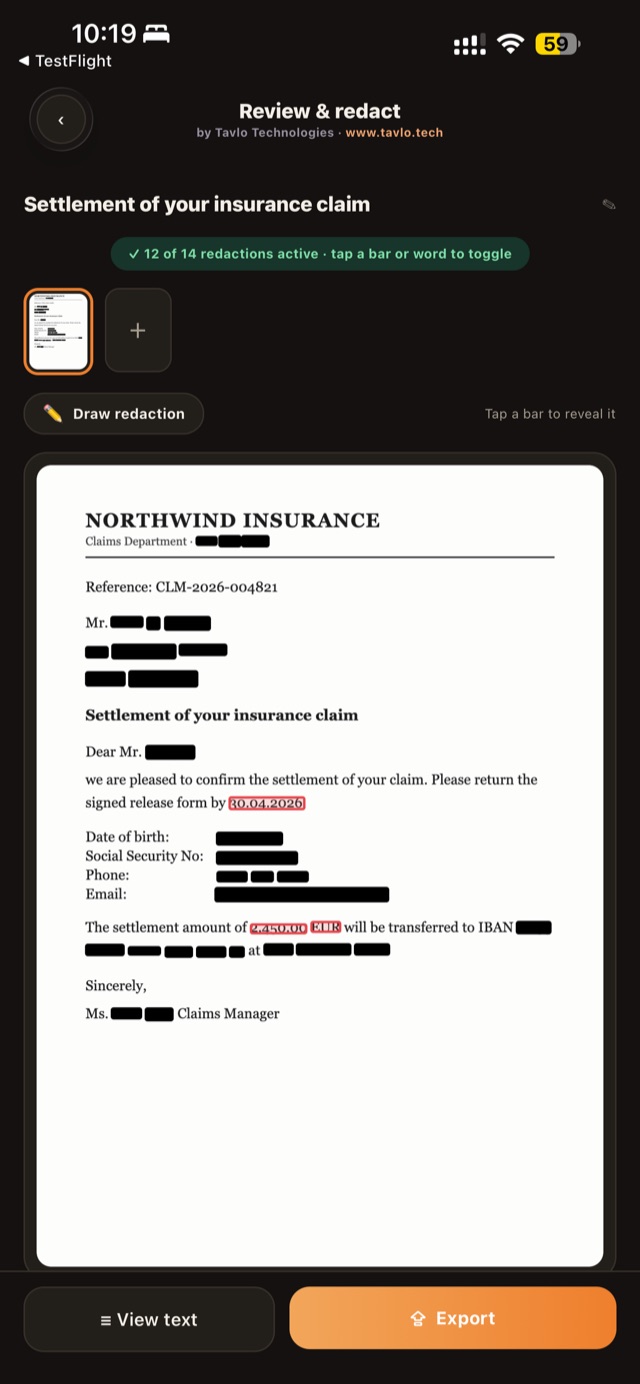
Tap any bar to reveal it, tap any word to black it out, or draw a box anywhere. Pinch to zoom for precise control on dense documents.
Scan Anything
Camera scanning with edge detection, multi-page documents and PDFs rendered page by page, imports from Photos or Files, or plain pasted text.
Share The Safe Version
Export a redacted image, PDF or text, or hand it straight to ChatGPT, Claude, Gemini, email or any app. Only the redacted version ever leaves your phone.
Every black bar is under your control.
The moment a document is scanned, the personal data is already covered. From there it is yours to adjust: tap a bar to reveal something that can stay, tap a plain word to hide something the engine did not, or draw a box over a logo or signature. A counter shows exactly how many redactions are active, so nothing slips through by accident.
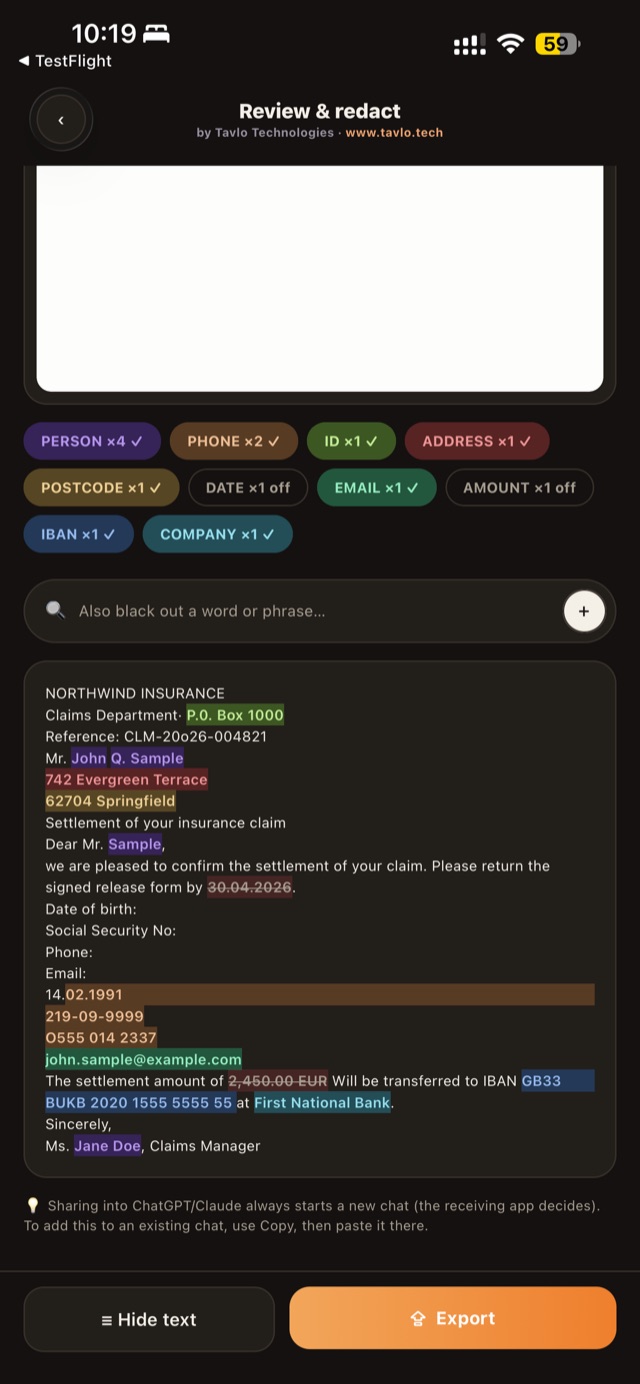
Grouped by category, colour-coded, adjustable.
Auto Redact AI shows you what it found and how it classified it - people, phone numbers, IDs, addresses, IBANs and more - as chips you can switch on or off as a group. Open the recognised text to see every detected entity highlighted in place, and add your own words or phrases that should always be blacked out.
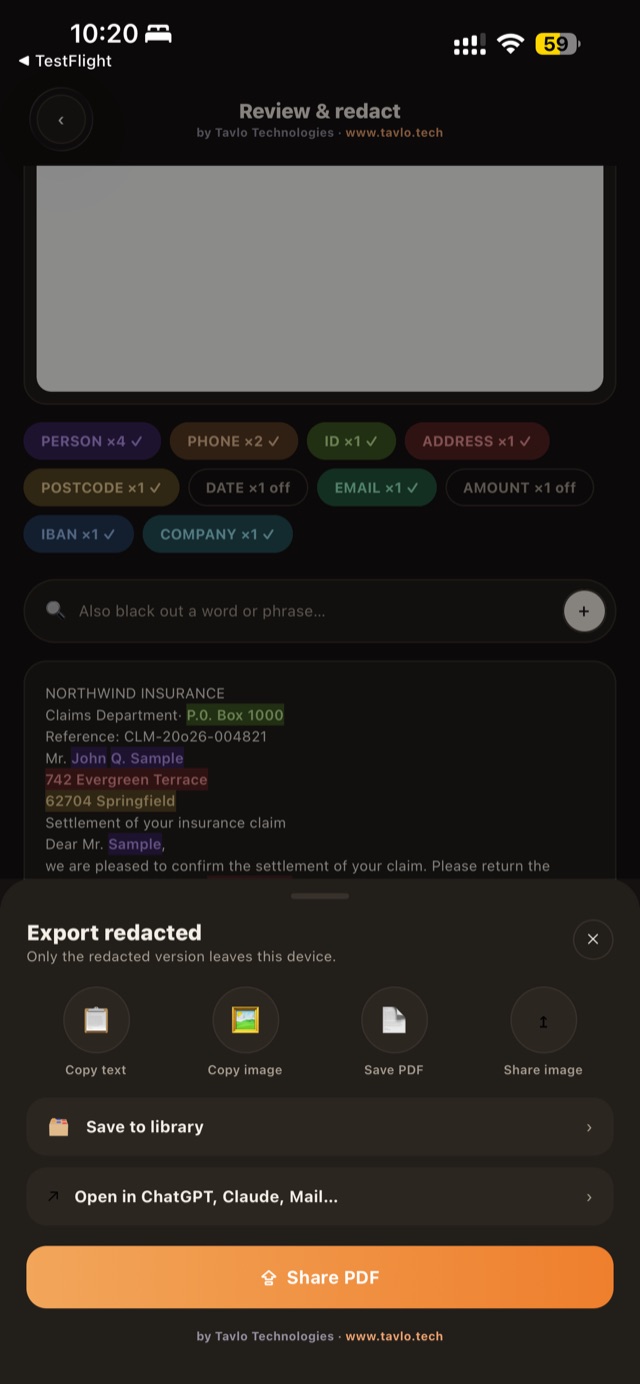
Straight into the AI assistant you already use.
Copy the redacted text, save a redacted PDF, share the image, or open it directly in ChatGPT, Claude, Gemini or email. Whatever you choose, only the version you approved ever leaves the device - and redacted documents are kept in an encrypted on-device library you can lock with Face ID or a PIN.
Not a setting you switch on - the way it is built.
Text recognition runs on your device. Redaction happens before anything is shared. The library and the mapping between redacted and original values are encrypted at rest with AES-256, with the key held in your device's secure hardware. There is no account, no cloud, no analytics and no tracking - we could not read your documents if we wanted to.
An optional "Ask AI" feature lets you ask questions about a document from inside the app. It is off by default, uses your own API key, and sends only the redacted text.
Free on iPhone and iPad.
Auto Redact AI is rolling out on the App Store for iPhone and iPad, with Android and a browser version in preparation. For early access, a TestFlight invite, or to talk about redaction for your team or organisation, write to contact@tavlo.tech.
Common questions
Do my documents leave my phone?
No. Text recognition, detection and redaction all run on your device. There is no account, no cloud, no analytics and no tracking - only the redacted version you approve ever leaves the phone.
What personal data does Auto Redact AI detect?
Names, addresses, IBANs, card and account numbers, phone numbers, emails, dates of birth, and tax and social-security IDs - found and blacked out automatically, with an on-device AI model cross-checking every scan.
Can I adjust what gets redacted?
Yes, you always have the final say: tap a bar to reveal it, tap a word to black it out, draw a box anywhere, switch whole categories on or off, and add your own words or phrases that should always be blacked out.
How much does Auto Redact AI cost?
Auto Redact AI is free and rolling out on the App Store for iPhone and iPad.
What is the "Ask AI" feature and is it private?
An optional feature for asking questions about a document from inside the app. It is off by default, uses your own API key, and sends only the redacted text - never the original.
Is there an Android or desktop version?
Android and a browser version are in preparation. For early access, a TestFlight invite, or to talk about redaction for your team or organisation, write to contact@tavlo.tech.
Your next intelligent system starts here.
Whether you're in DACH or beyond, we're ready to deliver.